Driver access & payments
Review the available app, browser, RFID and payment options for the chosen equipment and network.
 Request a quote
Charging software and ongoing support should fit your equipment, drivers, and operating goals. We help you consider those choices early.
Charging payments, access controls, remote visibility, reporting, and support vary by equipment and service provider. Confirm the software and service arrangement alongside your hardware quote.
For compatible Power Technology equipment, ask about Smart Charging Access™ and the applicable management, support, and hardware replacement coverage options.
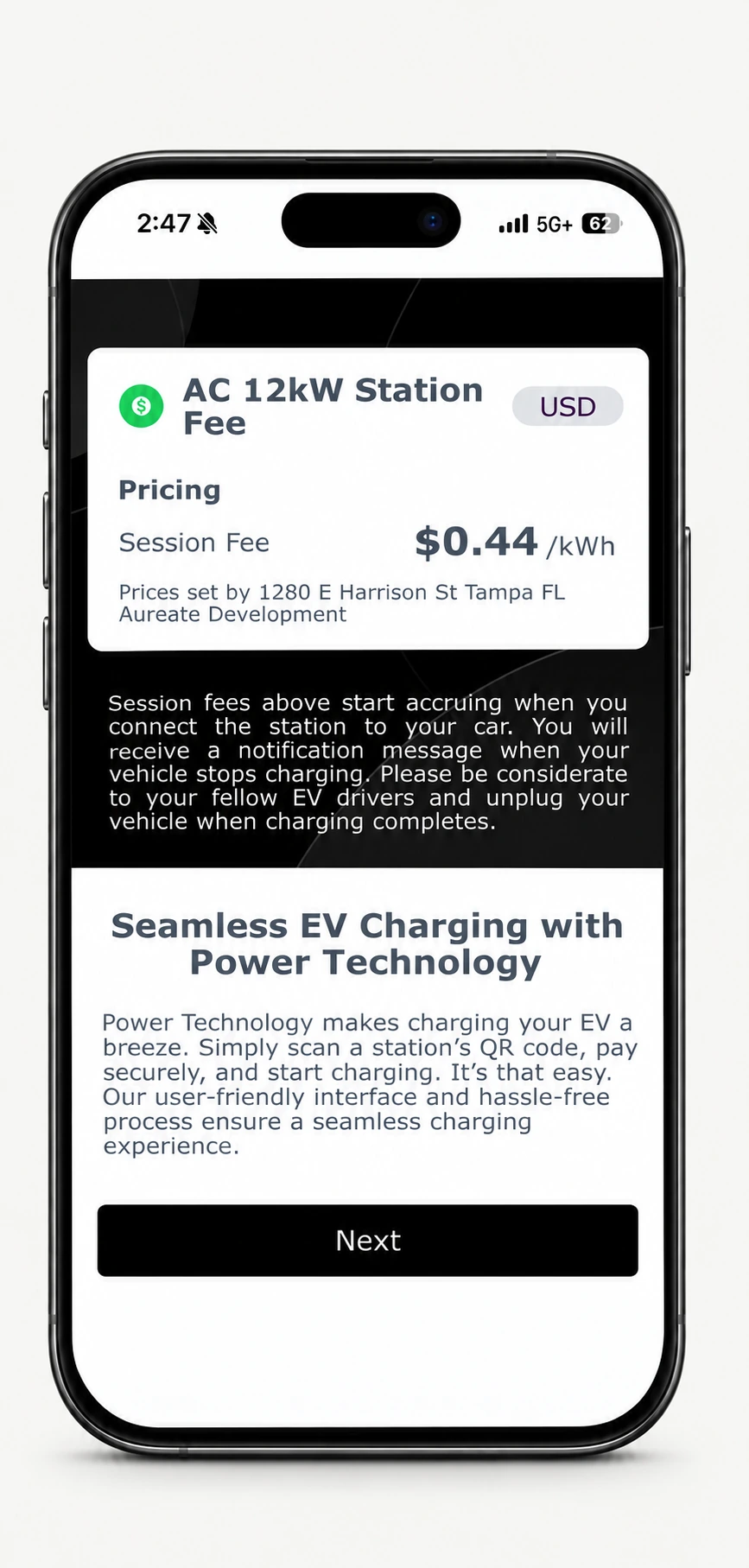
Scan the charger’s QR code to open the browser experience and review the station’s charging rate.
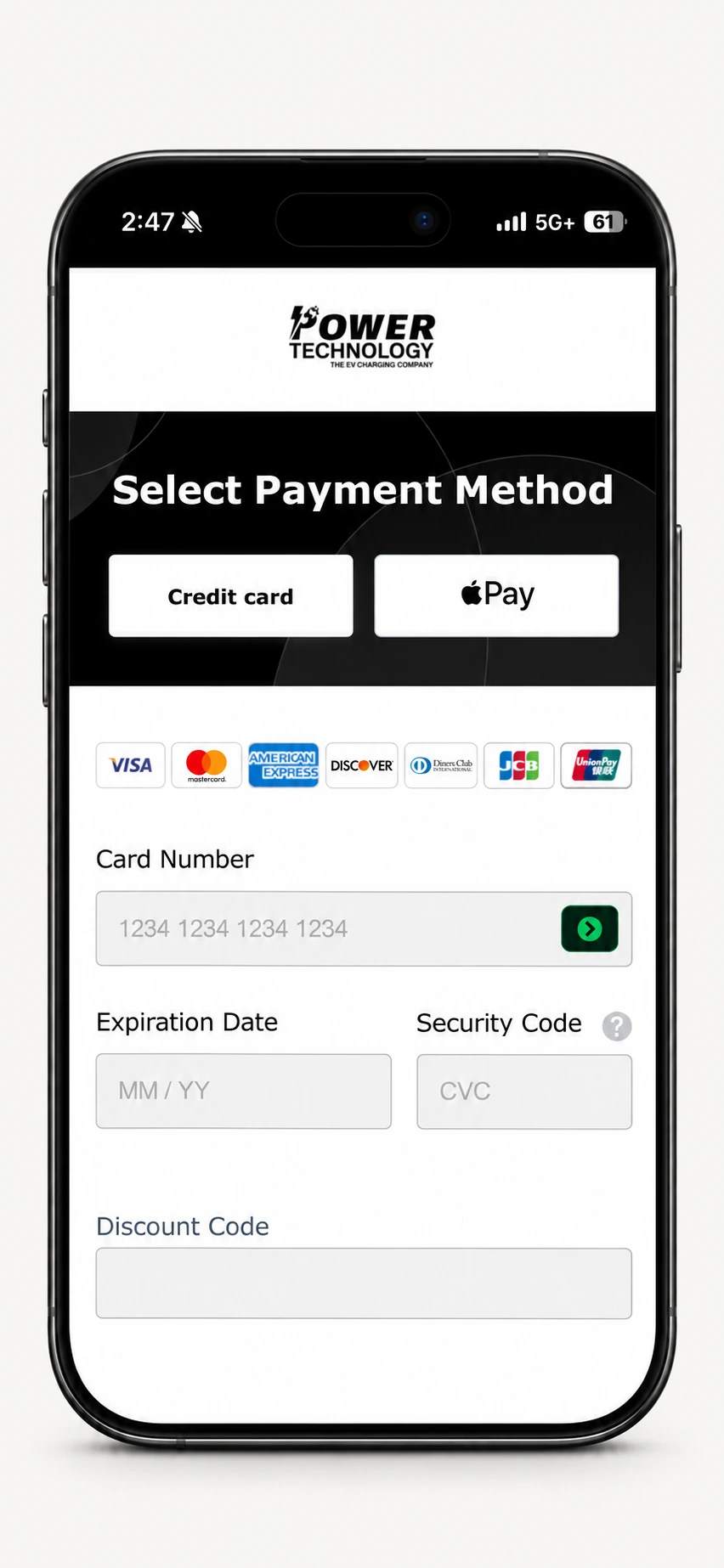
Select credit card or Apple Pay where available, then follow the prompts to connect and start charging.
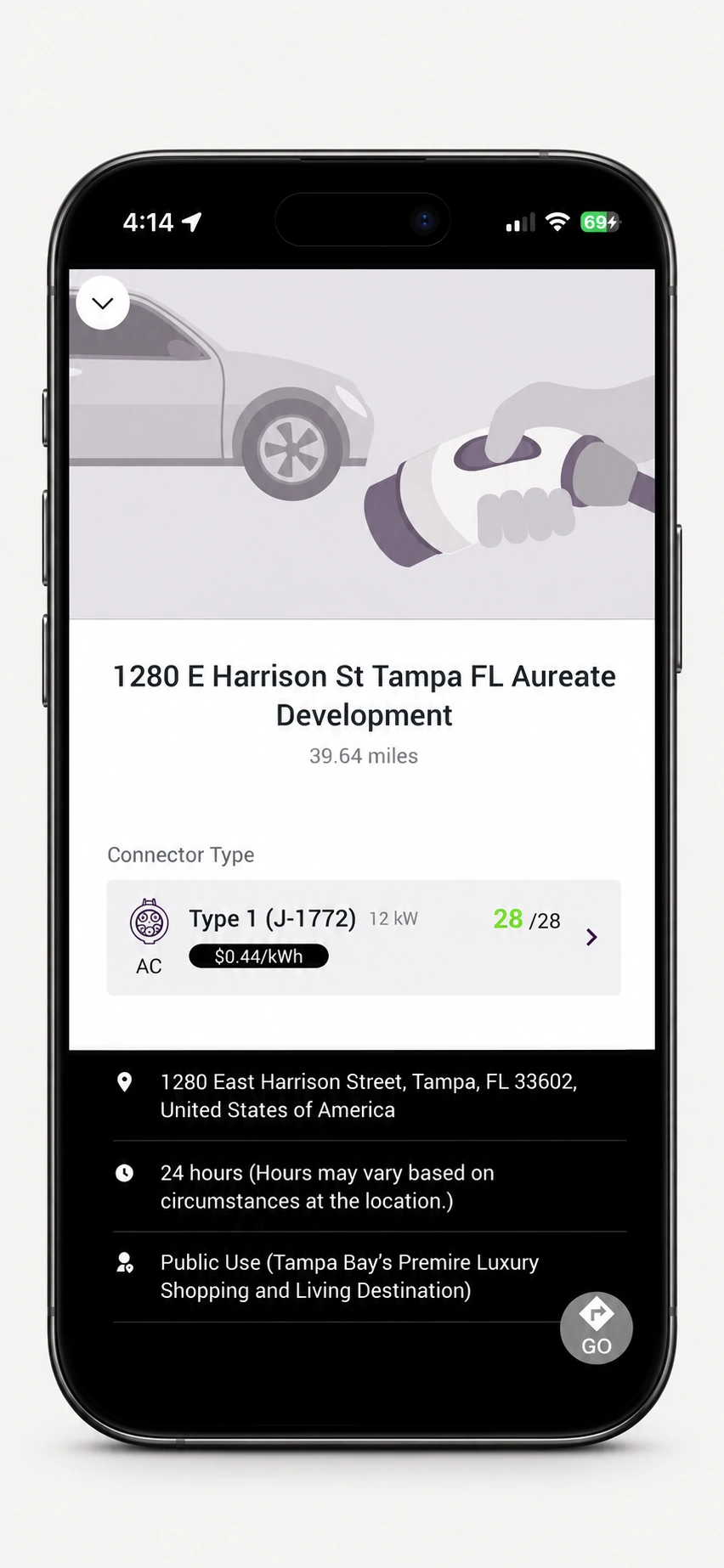
Use the Power Technology app to find station details, check available connectors, and review the charging rate.
Power Technology charging screen examples. Pricing, payment methods, availability, and the steps to start a session vary by station and configuration.
Review the available app, browser, RFID and payment options for the chosen equipment and network.
Confirm how station status, charging activity, energy use and revenue reporting will be managed.
Understand who handles driver assistance, diagnostics, network issues and on-site service coordination.
Review service fees, renewal terms, hardware coverage and responsibilities in the accepted agreement.